Work style
What to Wear When Presenting at a Conference
The best stage outfit works for the talk, the technology and the rest of your day.
In shortStart with the organizer’s dress code and technical instructions, then choose an outfit you can stand, sit and move in. Ask which microphone and camera setup the event uses; rehearse in the complete outfit and use the available sound check.

Start with the organizer's instructions
Check whether the event gives speakers a dress code, camera guidance or a technical briefing. A panel in a community hall, a formal industry keynote and a virtual workshop can have different expectations. Ask the organizer when the invitation is unclear; the audience's clothes can provide context, but they are not a substitute for the event's instructions.
For example, the GreenBiz speaker FAQ gives its own business-casual and camera guidance. That list applies to that event, not every stage. Ask whether you will stand, sit on a panel, appear on a live stream or move between these formats.
Can you move and sit in the complete outfit?
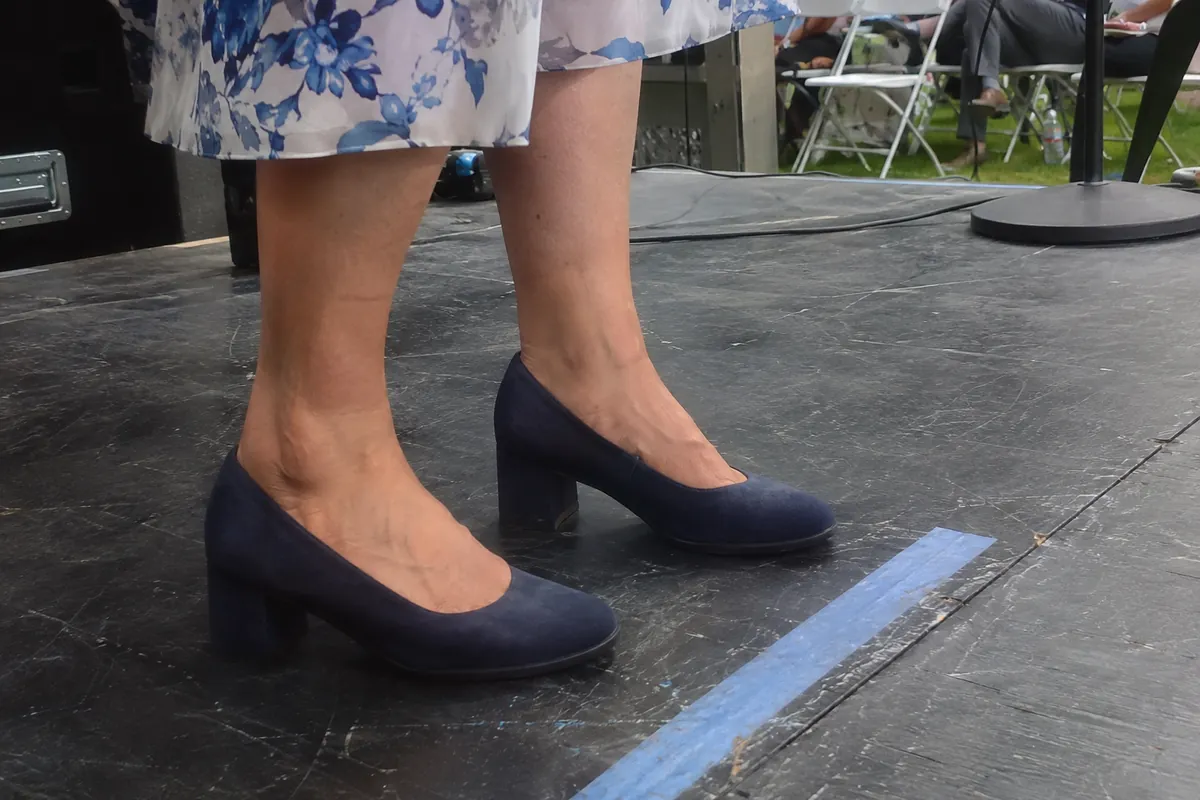
Try the exact combination of clothes and shoes you plan to wear. Walk to a chair, sit down, stand and reach for a glass or clicker. If you will use steps to reach the platform, test steps in the actual shoes too. A garment that looks composed while standing still may pull or shift once you sit.
A dress, separates, a suit or another outfit can all be suitable depending on the event. Choose a layer that lets you move and that you can remove if the room is warm. You do not need to purchase an entirely new outfit to be a credible speaker. The conference outfit guide covers the rest of the day around the session.
Ask what microphone you will use
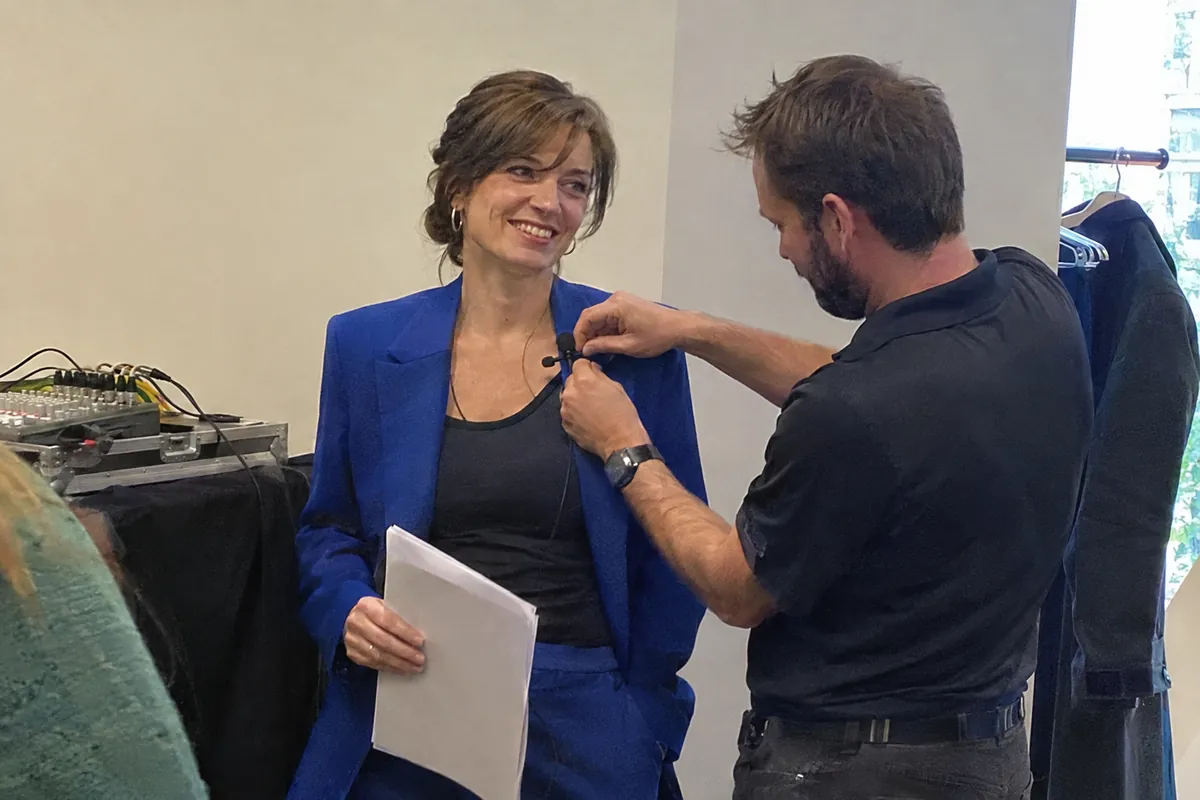
A handheld microphone, a headset and a clip-on lavalier have different practical needs. Ask the production team which type is planned, whether a wireless transmitter is required and where the team normally places it. If you are wearing a dress without a waistband, mention that early rather than assuming there is nowhere to place a pack. The team may have a compatible solution.
The EOS speaker guide notes that a wireless microphone and its pack need suitable attachment points. It also suggests practicing while standing and moving. Your event may use different equipment, so confirm rather than copying a setup from a photograph.
Try the intended neckline or lapel with the technician at the sound check. A necklace, scarf, hair or loose fabric may brush against a microphone; ask the sound team to listen while you move. Do not tape or modify unfamiliar equipment yourself.
Check the camera, not a universal color rule
If the talk is filmed, ask the production team about the background, lighting and any colors or patterns they recommend avoiding. Fine patterns, shiny fabric and strong contrast can behave differently on camera than in a mirror. The GreenBiz guide gives specific examples for its stage; another event's lighting or backdrop may lead to different advice.
If a rehearsal or camera test is available, use it. Bring a layer you already own only if it addresses a real uncertainty and can be stored easily. A good test is more useful than a claim that one color always looks best on screen.
Plan the transitions around the talk
Look at the agenda from arrival through the final event. You may need to check a bag, walk between buildings, sit in the audience and attend a reception after speaking. Choose footwear for the route and consider a second pair only if you can carry or store it. The shoe comfort guide helps you assess the actual day rather than assume a specific heel height works for everyone.
Make a small note of the organizer's contact, arrival time and the location of the technical check. Keep a charger and any presentation materials accessible. If you move directly from the session to a reception, the after-work networking guide offers a separate way to plan that transition.
Use this speaker-day checklist
The checklist works without a connection or an account. Your choices stay on this page and will reset when it is reloaded, so write down anything you need to remember later.
Prepare for a change without overpacking
If a cable placement, temperature or a last-minute format change is uncertain, agree a backup with the technical team. A familiar jacket or another comfortable pair of shoes can help when there is a place to keep it. Ask where belongings can be stored before bringing extra pieces.
Finish with the clothing care label: choose a preparation method suitable for the fabric, trim and lining. Rehearse your opening in the outfit so you can notice movement or sound problems before the audience arrives. The purpose is a smooth presentation, not a rigid uniform.
Does the program headshot need the same outfit as the stage appearance?
An advance portrait and the live talk are different deliverables. Ask the organizer about the portrait’s crop, background, file instructions and intended use before assuming that the stage outfit is required for it. For the talk, keep the separate production questions about the microphone, movement and camera setup. A still headshot cannot test sound or demonstrate that a transmitter will fit comfortably.
| Deliverable | Brief to confirm |
|---|---|
| Program portrait | Image use, crop and delivery instructions |
| Stage appearance | Dress code, movement and microphone placement |
| Recorded interview | Picture, sound and the actual recording arrangement |
Use the professional headshot outfit checklist for the first task, and keep the live rehearsal for the others. Do not import every television clothing restriction into a still photograph or assume an approved portrait file means the stage outfit has passed a technical check.
Rehearse the sleeve with your presentation gestures
Test the blazer while holding the equipment you will actually use: a clicker, notes or a handheld microphone. Bend each elbow, move a page and reach toward a table at a normal height. Check whether the cuff or lining catches as the arm returns. A portrait-style fitting with both arms hanging down cannot reveal every restriction relevant to speaking. Record the particular gesture rather than trying to judge the jacket from one crease.
Bring the intended blouse to any alteration fitting and demonstrate the gesture that fails. If a microphone cable or pack is involved, coordinate placement with the event team separately; tightening the lining is not a substitute for a sensible equipment route. Allow time after repair to repeat the rehearsal. Keep a second comfortable outfit available until the complete combination works for the talk. The sleeve-lining fitting checklist helps you record the fault before alterations.
Frequently asked questions
Must a speaker wear a suit?
No universal rule requires a suit. Follow the event’s instructions and choose a comfortable outfit for the format.
How can I prepare for a clip-on microphone?
Ask the AV team about the microphone and transmitter, explain your outfit and test the placement during sound check.
Should I avoid a particular color?
Ask the production team for its camera and backdrop guidance; one event’s preferences may not apply elsewhere.
Can I wear flats to present?
Choose footwear that suits the event and lets you safely walk, stand and use the stage steps.
What if I am sitting on a panel?
Try the complete outfit seated as well as standing and ask where the microphone will be positioned.